Traffic signals in the same layer as everything else
Signal controllers from any supplier, supervised over the open RSMP standard, side by side with the sensors, roadblocks and systems the city already runs in Yggio.
One supervision system per supplier
A city’s signal controllers come from more than one supplier and more than one generation. Each tends to arrive with its own supervision tool, so the state of the junctions lives in one system, the street lighting in another, the traffic sensors and road works in a third, and none of them sees the others.
RSMP, the Road Side Message Protocol, is the way out. It is an open, vendor-neutral standard from a Nordic cooperation between road authorities, maintained by RSMP Nordic and used beyond the Nordics too. Equipment from any supplier that implements it is supervised the same way.

Yggio speaks RSMP as a supervision system
Each junction connects to Yggio as an RSMP site. Whatever it reports becomes ordinary Yggio devices: they appear in views, they can be filtered, they drive rules and reports, and they sit on the map next to the rest of the estate: sensors, street lighting, roadblocks and buildings.
Because the controllers are devices like any other, everything the platform already does applies to them: access rights per organisation unit, dashboards per role, alarms through the Rule Engine, and the open API for the systems that need the data.
Signal groups, detectors, alarms
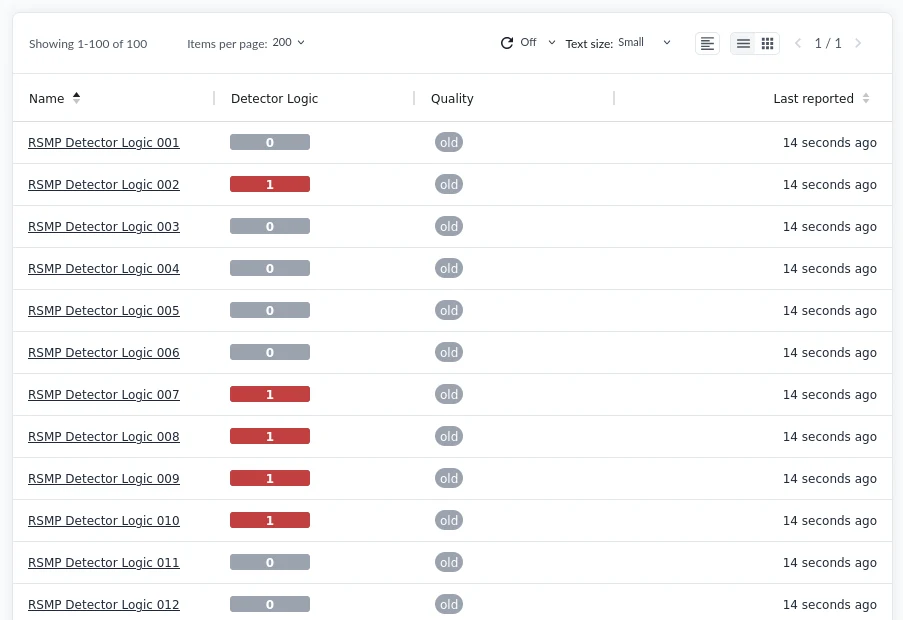
A controller reports the whole junction in two status messages: what every signal group is showing (green, red, yellow, red-yellow, dark or flashing) and whether every detector logic is occupied. Alongside them come alarms, with code, state and time, and the controller’s own aggregated status.
- One device per position. Yggio cuts the controller’s status strings apart, so each signal group and each detector logic becomes its own device, ready for a dashboard, a rule or a report.
- Only real changes are kept. A controller resends the whole array whenever anything changes. Yggio drops the identical repeats, so a device’s history shows real changes.
- Freshness in the reading. The controller’s quality flag is carried through, so a light last known to be green is not mistaken for one that is green now.
- Live junction views. The Swimlane widget gives each detector its own lane, so a vehicle crossing several detectors shows up as a pattern.
The junction next to the road works
A controller alarm can raise a work order through the Rule Engine instead of waiting in a supplier’s tool. Detector occupancy sits next to the city’s traffic sensors and counts. And the same map that shows the junctions shows the roadblocks Yggio’s AI agents create from road-works plans, using the approach developed with the rescue services on Gotland.
That is the point of an operational layer: not one more supervision tool, but the place where traffic signals, street lighting, sensors and road works are run together, under the city’s own rights and on its own terms.
Decoded and named
- Traffic light controllers, SXL 1.0.15
- Signal groups and detector logics, one device per position
- Alarms and aggregated status on the controller
- Connection state, with a watchdog per site
Same connection, own decode
- Variable message signs
- Weather stations
- Tunnel and barrier equipment
- Other RSMP equipment, which needs its own SXL decode before its values arrive named rather than raw
Get the SXL first
RSMP in Sensative Docs · The RSMP connector · RSMP Nordic
- Get the site’s SXL from the road authority or the controller supplier. It says which detector and which signal group sits at which position. Without it, positions are guesswork.
- Create one RSMP connector per site, with the site ID the controller announces and a watchdog for the connection.
- Install the controller, then the detector logics and signal groups you want to follow, one device per position.
- Check two positions against the SXL before trusting the rest: an index that is off by one gives plausible values, not an error.